

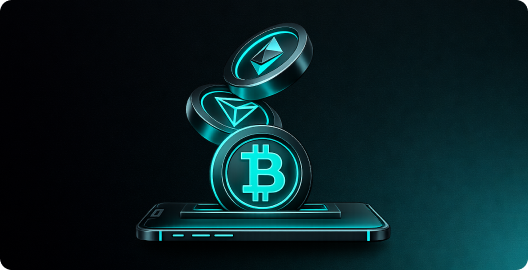
Depositing Crypto to Your Account
Funding your Bolt Casino account is fast and easy. We support a wide range of cryptocurrencies with zero deposit fees and instant balance credits once confirmed on the blockchain.
Supported Deposit Currencies
- Bitcoin (BTC)
- Ethereum (ETH)
- Tether (USDT) — Ethereum, Tron, and BSC networks
- USD Coin (USDC)
- Tron (TRX)
- BNB (Binance Smart Chain)
Step-by-Step Deposit Guide
Step 1: Open the Wallet
Click the Wallet button at the top of the page. The wallet modal will appear.
Step 2: Select "Deposit"
Make sure you're on the Deposit tab (this is the default view).
Step 3: Choose Your Cryptocurrency
Select the crypto you want to deposit from the available options. If you're depositing a token like USDT, make sure to select the correct network (e.g., TRC-20 for Tron, ERC-20 for Ethereum).
Step 4: Copy the Deposit Address
Your unique deposit address will be shown along with a QR code. Click Copy to copy the address to your clipboard, or scan the QR code with your wallet app.
Step 5: Send Your Crypto
Open your external wallet (Coinbase, Trust Wallet, MetaMask, Phantom, etc.) and send your crypto to the deposit address you copied.
Step 6: Wait for Confirmation
Your balance will be credited automatically once the transaction is confirmed on the blockchain. Most deposits appear within 1 to 5 minutes depending on the network.
Important Notes
- Always send the correct crypto to the correct network. Sending ETH to a BTC address (or wrong network) will result in permanent loss of funds.
- There is no minimum deposit for most cryptocurrencies.
- Bolt Casino charges zero deposit fees. Standard network fees from your wallet still apply.
- Each cryptocurrency has its own unique deposit address — don't reuse addresses across different coins.
Deposit Not Showing?
If your deposit hasn't appeared after 30 minutes:
- Check the transaction on a blockchain explorer to verify it was confirmed
- Ensure you sent to the correct address and network
- Contact our 24/7 live support with your transaction hash (TXID) for assistance
Pro tip: For the fastest and cheapest deposits, use USDT on the Tron (TRC-20) network!